Updates, 13 September
In Settings you can now edit the trip review page:
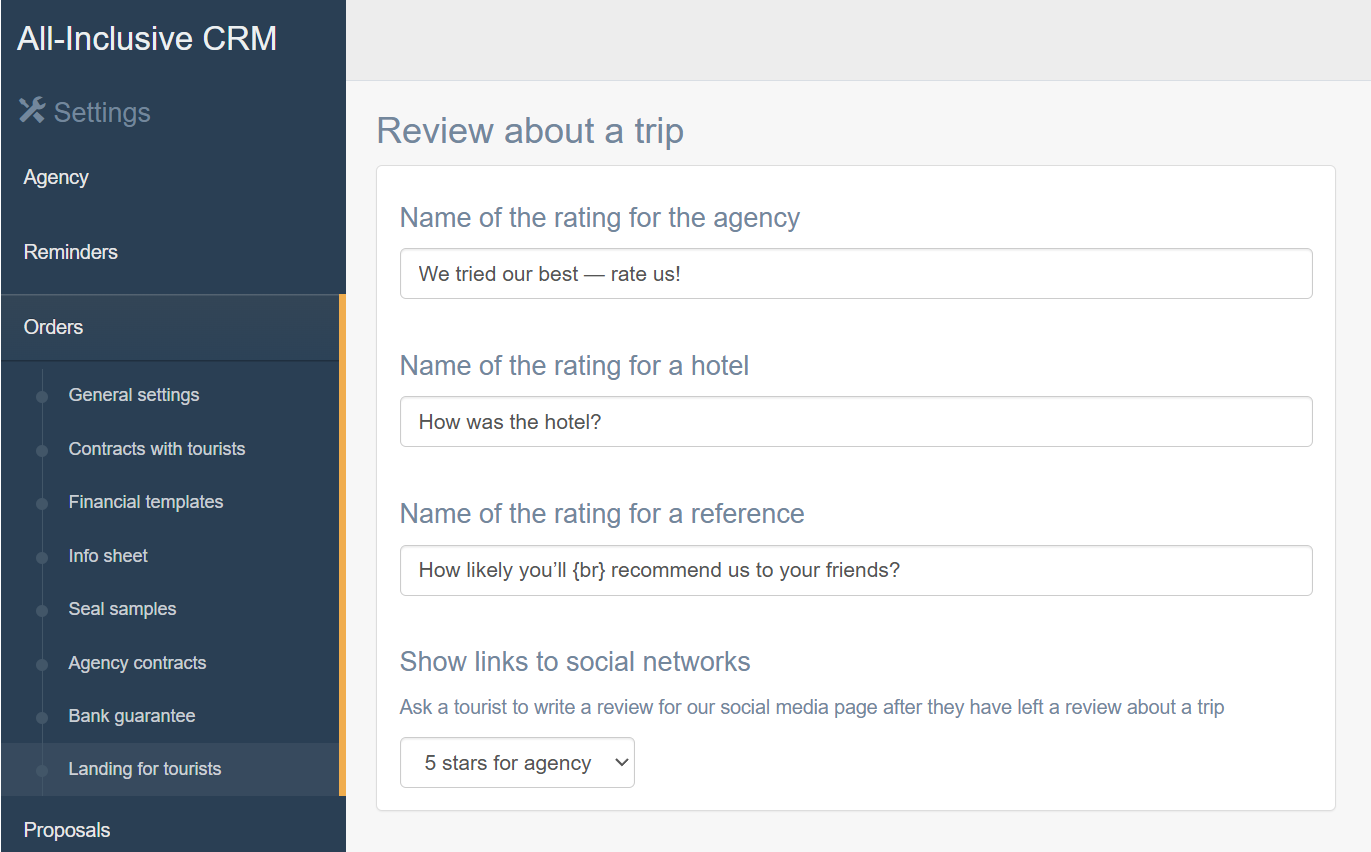
You can change the questions and select exactly when to show links to social networks.
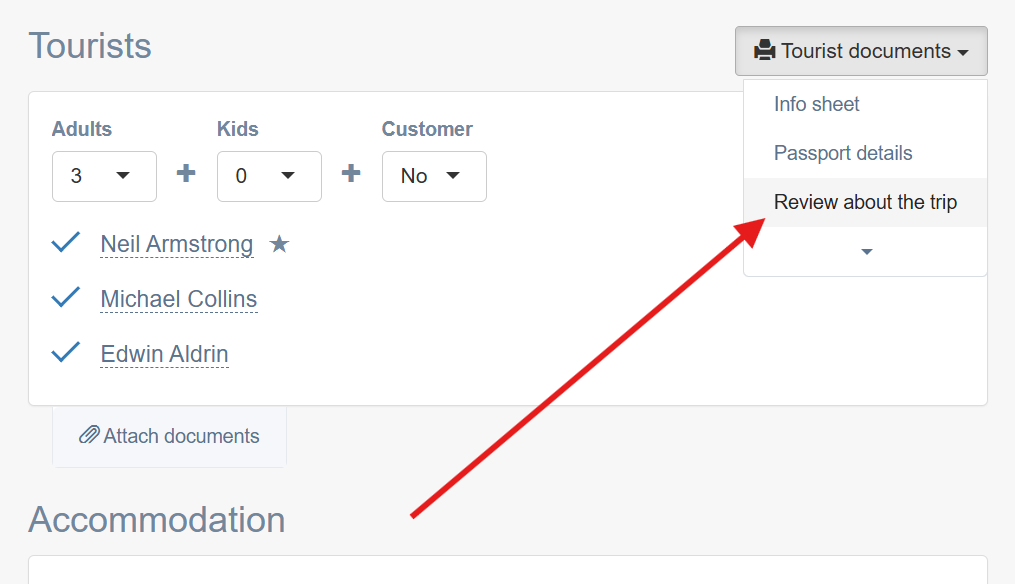
Here is where you’ll find the link to the review for the tourist:
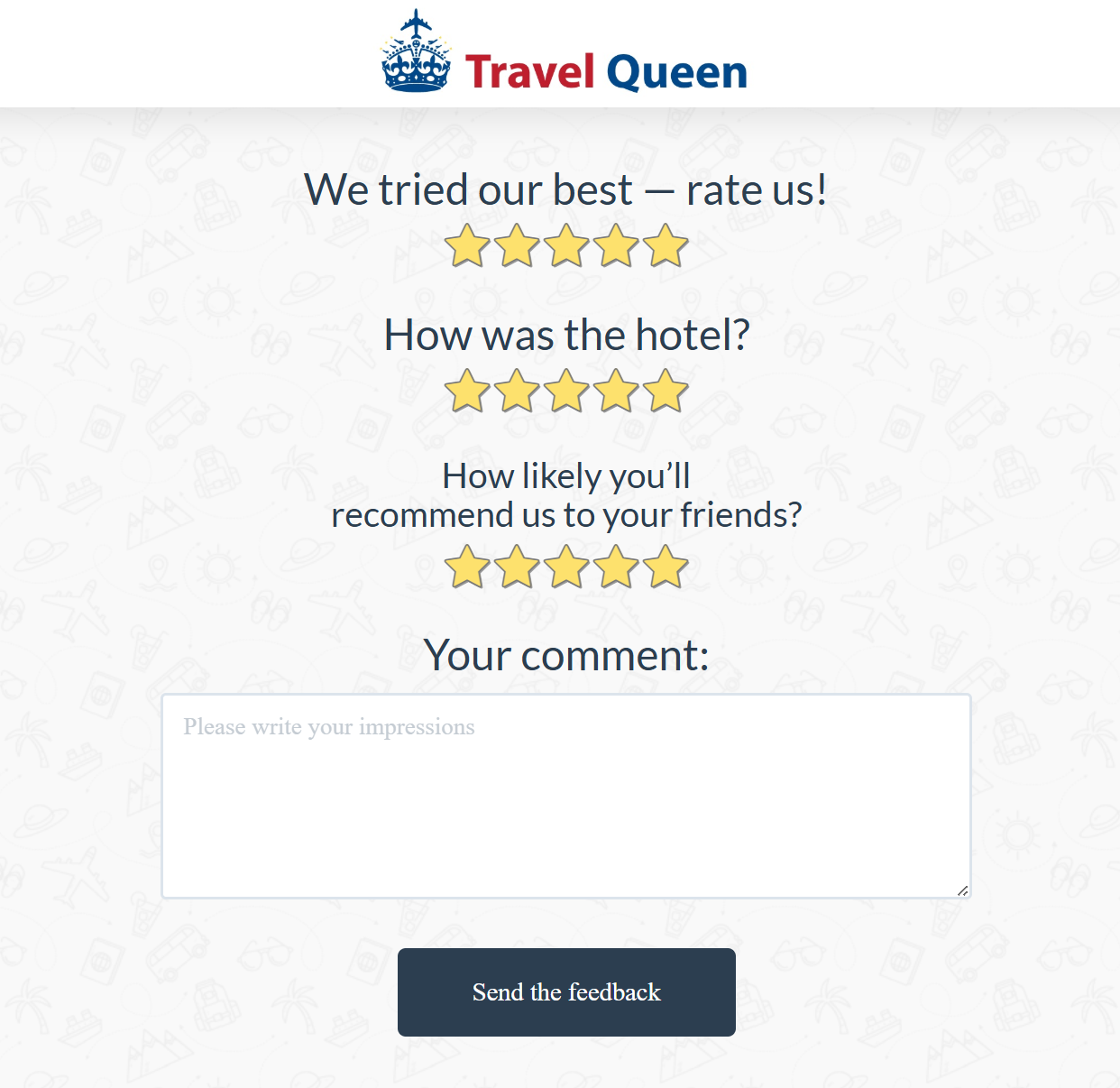
Here is what the page looks like for the tourist:
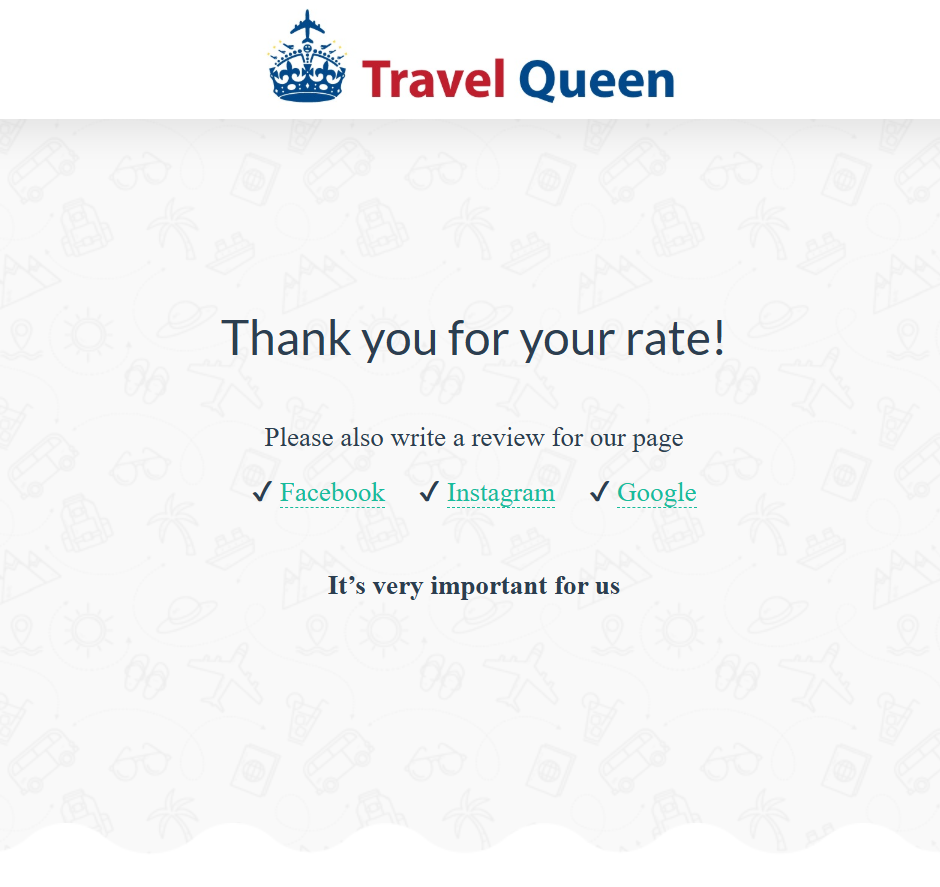
When the tourist leaves a review, the CRM will also suggest writing a review for Facebook, Instagram, and Google Business:
You’ll receive a notification about a new review in Telegram, and the review itself will be displayed at the top of the order page.